
Free OPML import
No account required. OPML import and offline downloads are free. All features are free with usage caps. $4.99/month lifts caps only.
Ken built The Podcast App after Google Podcasts shut down because he couldn't find a player he liked. It feels close to Google Podcasts in layout and everyday use, with a few improvements and updates to keep it modern.
Smart Ad-Skip is a tap to the end of a marked segment on supported shows. The app does not insert ads. All features are free with usage caps (free daily transcripts and chats). $4.99/month lifts those caps only.
Last updated: September 22, 2026
Export an OPML file from your current app, import it in The Podcast App under Settings → Manage Subscriptions (Import/Export) → Import from File, then verify niche feeds before you re-download commute episodes on Wi-Fi. OPML moves your public RSS subscriptions; it does not copy downloads, playback position, queues, or playlists.
| Piece | Moves with OPML | Rebuild in the new app |
|---|---|---|
| Show subscriptions | Yes — public RSS feeds | — |
| Play position / playlists | Usually no | Yes — app-local |
| Offline downloads | No | Download again on Wi‑Fi (unlimited offline is free here) |
| Usage caps / Brain | Free with usage caps | $4.99/month lifts caps only, not a download unlock |
Five checks, all signed out. OPML import runs from Settings → Manage Subscriptions (Import/Export) → Import from File, public RSS subscriptions land free, downloads and positions stay behind, new shows start with auto-download off, and offline downloads stay unlimited on free. Spotify has no OPML export.
First-party paths — not a generic “easy import” claim. If a row fails on your device, this page is wrong for you.
| Check | In-app path | Named outcome |
|---|---|---|
| Import signed-out | Settings → Manage Subscriptions (Import/Export) → Import from File | Public RSS subscriptions land with no account. OPML import is free and is not usage-capped |
| Empty Home CTA | Import on empty Home → same sheet (/settings?focus=import) |
Same import flow as Settings — one sheet, not a second product |
| What OPML moves | After import, open library | Show subscriptions (title + public xmlUrl). New subs start with auto-download off |
| What OPML does not move | — | Downloads, play position, queue, playlists/stations, Podcast Brain data, listen history |
| Offline after switch | Download on Wi‑Fi in The Podcast App | Unlimited offline downloads on free — A paid plan lifts usage caps, not a download unlock |
| Spotify | — | No first-party Spotify OPML/RSS export. Export from Overcast/Pocket Casts/Castro/AntennaPod if you used one alongside, or add shows/RSS in-app — not a silent full Spotify migrate |


No account required. OPML import and offline downloads are free. All features are free with usage caps. $4.99/month lifts caps only.
OPML carries title + xmlUrl. Downloads, position, queues, and playlists stay behind.
The app does not insert ads. Host-read episode ads may still play. Smart Ad-Skip is a tap to the end of a marked segment on supported shows.
Export an OPML file from your current app, then open Settings → Manage Subscriptions (Import/Export) → Import from File and pick the file. Your public RSS subscriptions arrive in one import. Check a few niche feeds, then re-download the episodes you want on Wi-Fi. No account is required.
No. OPML import works signed out, is free, and is not usage-capped. The importer reads each outline's title and public feed URL, rejects invalid or private-network URLs, and adds new subscriptions with auto-download off, so a big library does not fill cellular storage.
Not with a file. Spotify has no first-party OPML export of followed shows. Keep a list of the shows you follow, search each title in The Podcast App, and subscribe. If you also used Pocket Casts, Overcast, or AntennaPod, export OPML there and import it in one pass.
No. OPML carries subscriptions, not audio files, so downloads, positions, and queues stay in the old app. Re-download what you need on Wi-Fi after the import. Unlimited offline downloads are free here, so rebuilding a commute stack costs storage, not a paid plan.
| Item | Moves with OPML | What to do |
|---|---|---|
| Subscriptions (title + public feed URL) | Yes | Import once |
| Downloads | No | Re-download on Wi-Fi (free, unlimited) |
| Playback position, queue, playlists | No | Rebuild if you still want them |
| Spotify follows | No OPML export exists | Search each show and subscribe |
The import path, what the parser accepts, and what it refuses — read from the shipping importer, not from a competitor’s help page.
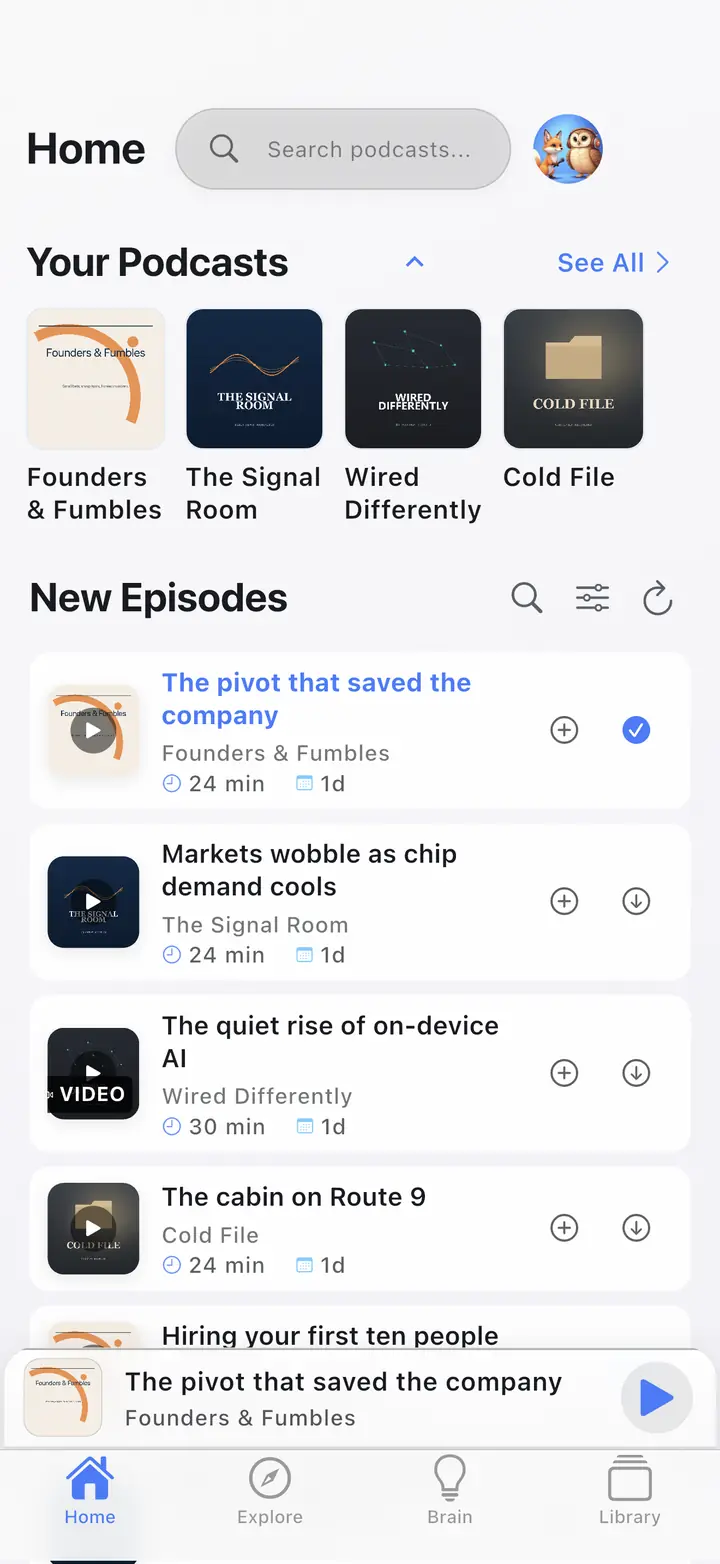
| What we checked | What we found | Check it yourself |
|---|---|---|
| Import entry points | Settings → Manage Subscriptions (Import/Export) → Import from File, and the Import button on an empty Home, open the same sheet. It works signed-out. Import is free and is not usage-capped. | Fresh install, skip sign-in, open Settings. |
| What the parser accepts | Standard OPML 2.0 outlines carrying an xmlUrl (or type="rss"). Nested folders are walked, so a grouped export from Overcast or Pocket Casts flattens into one subscription list instead of importing the folder as a show. | Import a foldered OPML; the count matches feeds, not folders. |
| What it refuses | Feeds whose URL is not absolute http/https, or that point at localhost or a private-network range, are skipped and counted in the import summary as invalid — never silently added. | Add a file:// or 192.168.x.x line to a test OPML; it shows up as skipped. |
| What does not travel | OPML carries title plus feed URL. Play position, downloads, queue, playlists and history are not in the file — from any app, not only ours. | Open your export in a text editor. |
| Leaving again | Export writes standard OPML 2.0 from the same Manage Subscriptions screen, so the list you brought in can leave the same way. | Settings → Manage Subscriptions (Import/Export) → Export Subscriptions. |
How this page was produced: Written by the operator from the app’s OPML importer source — the accept/refuse rules above are the code’s own checks — and re-read on September 11, 2026. Vendor export paths are linked in Sources, not paraphrased from listicles. The screenshot is from our store-listing capture corpus.
Usually under a few minutes for a typical library; large libraries can take longer while feeds refresh.
Grab an OPML file from Apple Podcasts, Pocket Casts, Overcast, AntennaPod, or another app that supports export. Need a file first? Use the OPML generator.
Open Settings → Manage Subscriptions (Import/Export) → Import from File. If Home is empty, the Import CTA opens the same sheet. Confirm the feed count after the file lands.
Check niche feeds before you re-download commute episodes on Wi-Fi. Auto-download starts off, so the library does not fill cellular storage on arrival. Then use the offline Wi-Fi path or the player.
OPML moves your subscription list and nothing else: each show's title and public RSS feed URL. Downloads, playback position, queues, playlists, Podcast Brain data, and listening history stay in the old app. Import once, confirm the feed count, then re-download what you want on Wi-Fi.
OPML is a public RSS subscription list. It is not a full library backup.
Your public RSS list: each outline’s title and xmlUrl. That is the subscription set you can rebuild in one import.
Downloads, playback position, queues, playlists, Brain data, and history stay in the old app. Rebuild those only if you still want them.
Invalid URLs and private-network URLs are rejected. OPML does not transfer credentials, tokens, or login-gated feeds. If a public RSS URL looks broken before import, check it with the free RSS validator and OPML tools.
The same list format works in reverse. See OPML export when you want a portable copy of follows.
Most switches start in Apple Podcasts, Pocket Casts, Overcast, AntennaPod, or Spotify. The first four can export OPML, so one import brings your subscriptions across. Spotify cannot, so you search and resubscribe by hand. Each path below names the export menu to use.
Most people are leaving one specific app. Export there, import here, then verify niche feeds. Score the grid on compare podcast apps first if you have not picked a destination. The free podcast app stays usable. All features are free with usage caps.
Replacing Google Podcasts? Google made YouTube Music the official successor. If you want a plain RSS podcast player instead, import your Google Podcasts OPML export into The Podcast App without an account. The Import from File steps on this page apply unchanged.
On Mac, use File → Library → Export Playlist / OPML (wording varies by macOS). iOS does not always expose a one-tap OPML export — use a Mac pass-through or a third-party exporter, then move the file to your phone.
Settings → export OPML / export subscriptions, then open the file with Import from File under Settings → Manage Subscriptions (Import/Export).
Sign in at overcast.fm/account and use Export Your Data, then import the file. Older in-app Settings → Export OPML labels may still appear on some builds. The Podcast App also runs on Android, which Overcast does not.
Settings → export OPML / export subscriptions, then import the file the same way.
Spotify has no first-party OPML export of shows. Workarounds only: keep a text list or screenshots of follows, then search those titles after you import everything else. That is a Spotify limit, not an import bug.
Start with the free player. OPML import and unlimited offline downloads are free. Smart Ad-Skip is a tap to the end of a marked segment on supported shows. The app does not insert ads; see the free no-app-ads player.
Empty or wrong art usually means the feed has not refreshed yet, or the xmlUrl pointed at a thin or redirected source. Wait for the refresh, or re-add that show from search.
Duplicates appear when the same show is listed twice in the OPML, or when a feed URL and its redirect both imported. Unsubscribe the extra copy.
Still stuck? Contact support.
Private-network and invalid URLs are rejected. Credential-gated feeds must be re-added by hand.
All features are free with usage caps (free daily transcripts and chats). $4.99/month lifts those caps only.
Smart Ad-Skip is a tap to the end of a marked segment on supported shows. The app does not insert ads. Host-read audio already in the file can still play.
Free OPML import. No account to start. Unlimited offline downloads on free. No app-inserted ads in the player.
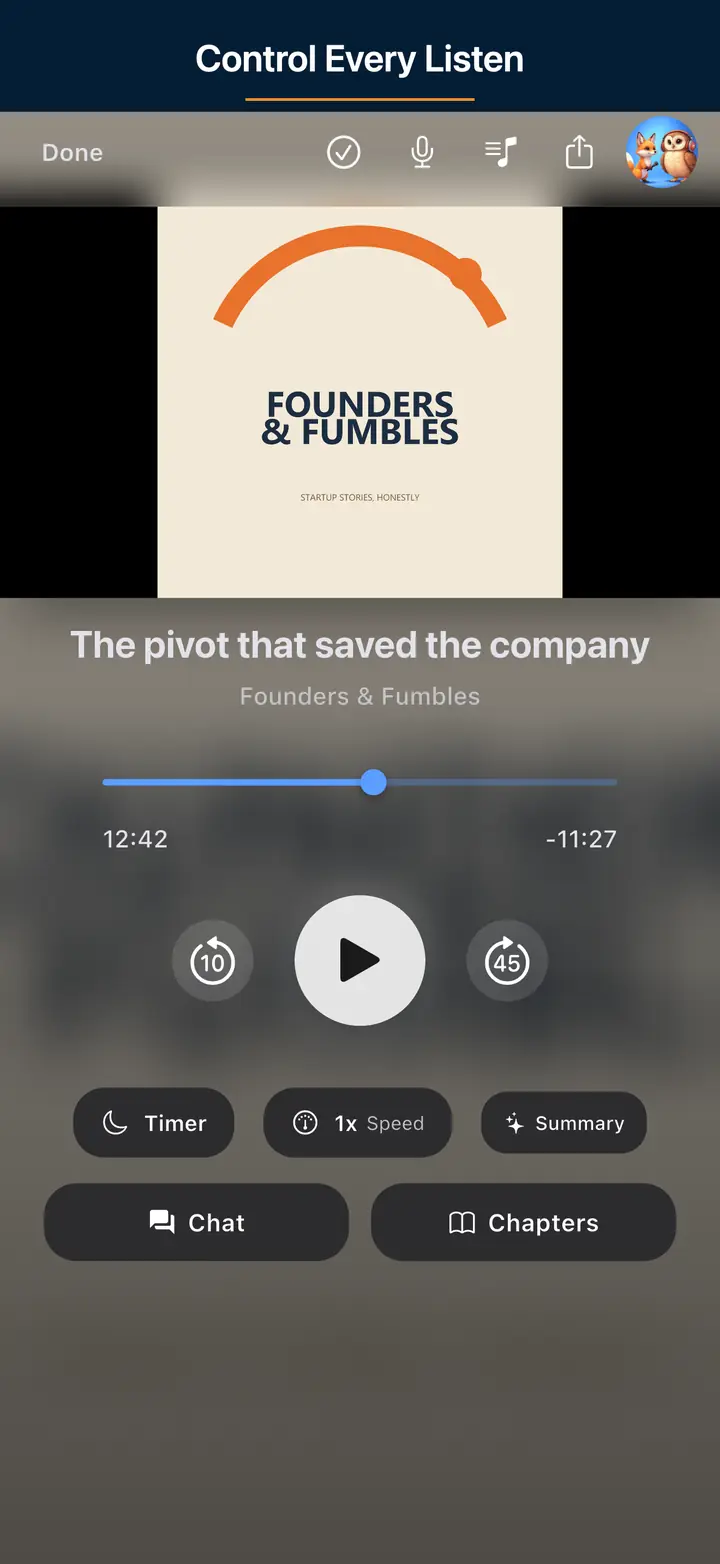
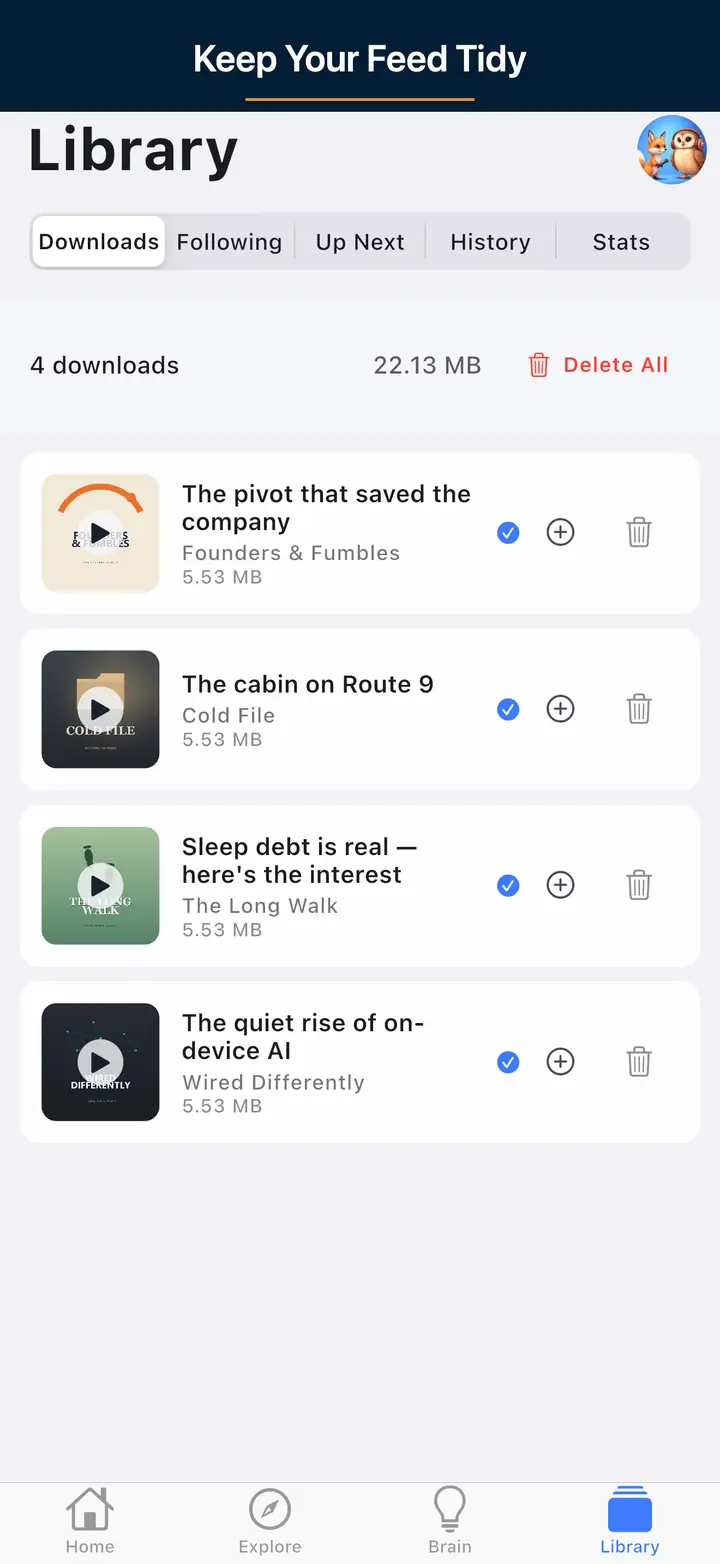
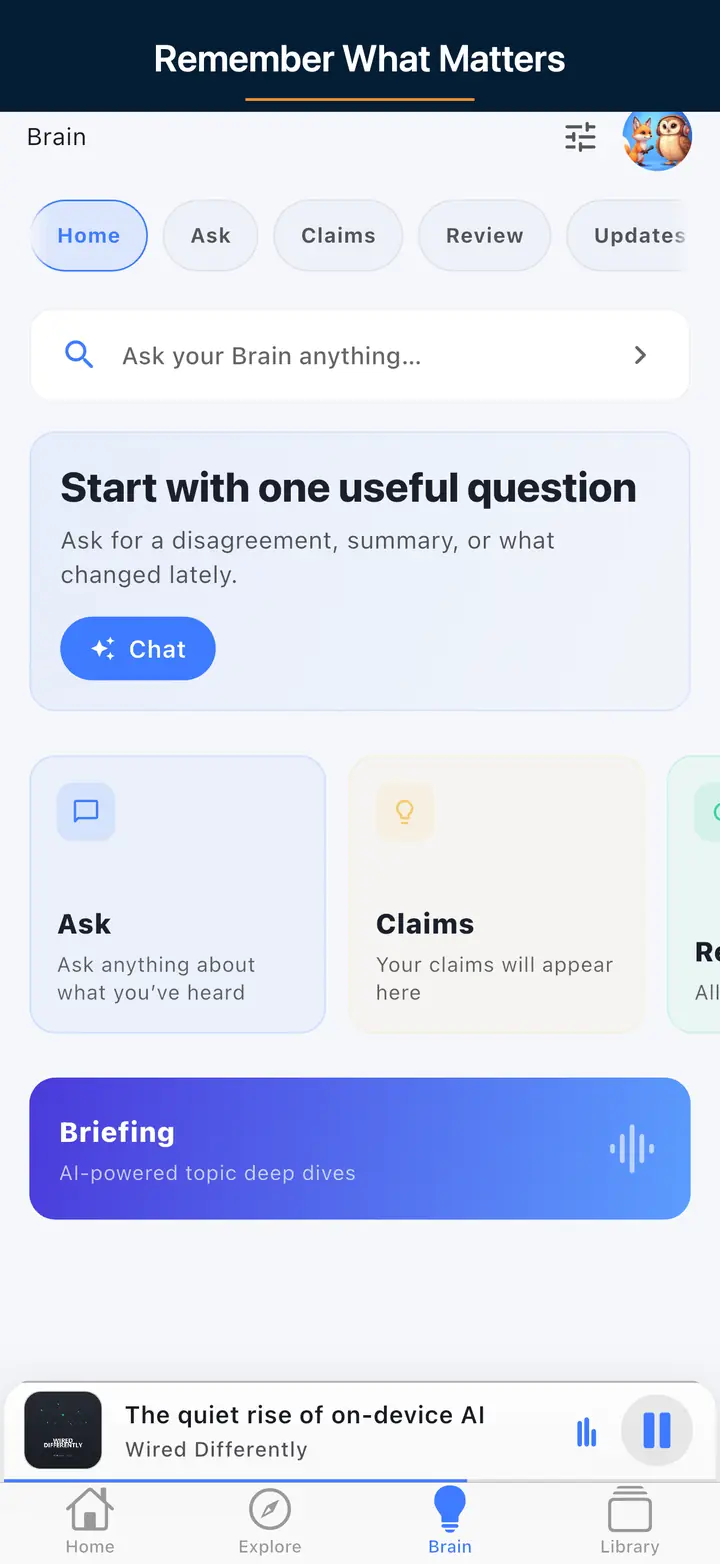
These are real screens from the app, not mockups. Every menu, button, and label is translated, so the app looks like this as soon as you install it.
Live product pages only.
Bring your subscriptions with OPML, then download on Wi-Fi. Unlimited offline on the free core.