
Search and play in the browser
On this page, search a show, open the feed, and press play. No account. The browser player streams in-browser and has no offline.
Listen to podcasts free online, right in your browser. Search millions of shows on this page and press play. No account, no install, no download. Supported episodes play with play, pause, seek, a 15-second rewind, a 30-second skip, speed from 0.5x to 2x, and volume. On a phone-width screen, speed and volume hide and the transport controls stay. If an episode will not play in the browser, the page tells you to listen in the free iOS and Android app.
Smart Ad-Skip is a tap to the end of a marked segment on supported shows. The app does not insert ads. All features are free with usage caps (free daily transcripts and chats). $4.99/month lifts those caps only.
Last updated: September 22, 2026
This page is the free online/browser player — search and stream in your browser (no offline). The iOS/Android app is a separate product with unlimited offline downloads, sleep timer, chapters, CarPlay/Android Auto, and OPML.
| Job | This browser player | iOS / Android apps |
|---|---|---|
| Sample a supported episode | Yes | Yes |
| Smart Ad-Skip | No — browser streams only | In the apps: a tap to the end of a marked segment on supported shows. The app does not insert ads. |
| OPML import / switch | No — use the apps | Yes |
| Unlimited offline downloads | No | Yes — free ($4.99 lifts caps only) |
| Podcast Brain | No | free with usage caps |
Two things split cleanly. This browser page streams supported episodes with no account and no install. The free iOS and Android apps add unlimited offline downloads, OPML import, Smart Ad-Skip on supported shows, and Podcast Brain with usage caps. Each row below names the check.
This page samples in the browser. The installable apps hold OPML, unlimited offline, and Brain, free with usage caps.
| Check | In-app path | Named outcome |
|---|---|---|
| Browser sample | Play a supported episode in this page | Stream/sample in browser — no offline in the browser player |
| OPML / switch | Use the iOS/Android apps: Settings → Manage Subscriptions (Import/Export) → Import from File | OPML import is in the apps, not this browser player |
| Unlimited offline | Download in the iOS/Android apps on Wi‑Fi | Unlimited offline downloads stay free on the apps. $4.99/month lifts caps only |
| Brain | free with usage caps in the apps | Not available in the browser player; free with usage caps on iOS/Android |


No. Search a show on this page and press play without signing in or installing anything. The browser player streams supported episodes. For downloads, OPML, Smart Ad-Skip, and the car, install the free iOS or Android app, which also starts without an account.
| Job | Browser player | iOS and Android apps |
|---|---|---|
| Account | Not needed | Not needed to start |
| Offline downloads | No | Unlimited on free |
| OPML import | No | Free |
| Smart Ad-Skip | No | One tap on supported shows |
| Podcast Brain | No | Free with usage caps |
No. The browser player streams and keeps no offline files. Offline listening lives in the iOS and Android apps, where unlimited downloads are free: download on Wi-Fi, confirm the file finished in Downloads, then play it in airplane mode to prove it.
Yes, in the app rather than the browser. Export OPML from your current player, then import it under Settings → Manage Subscriptions (Import/Export) → Import from File. OPML import is free and needs no account. It moves public RSS subscriptions only; downloads, queues, and positions stay behind.
Only when you tap. In the iOS and Android apps, one tap skips a break already marked on a supported show. It is never automatic. Undo jumps back, and a setting turns it off. Host-read audio can still play, and nothing is stripped from the file. It is free, with a daily cap the server sets.
It searches and streams in the tab. Search the same public podcast index the app uses, open a feed, and play supported episodes with seek, skip, speed, and volume, with no account. It cannot download, import OPML, or skip ads. If a file will not load, the page tells you to listen in the app.
The web player at thepodcastapp.dev/player is a genuine, no-install listening tool, not a landing page dressed up as one. Type a show name into the search bar and it queries the same public Podcast Index the mobile app uses, which publishes a count in the millions. Open a result and you get that show's episode list, up to the page's episode cap, with artwork, descriptions, and publish dates. Press play on a supported episode and audio streams in a sticky mini player at the bottom of the screen, with seek, a 15-second rewind, a 30-second skip, variable speed, and volume. No account, no download, and no sign-up screen.
It also has honest limits worth knowing before you rely on it. The page sets the audio element to the publisher's file. If that load fails, the player shows an error and tells you to listen in the app. The page does not name the cause. A host that refuses browser playback is one possibility. A missing or unsupported file fails the same way.
The web player earns its keep in specific situations: a quick listen from a work computer where installing an app is not an option, sampling an unfamiliar show before deciding whether it is worth adding to your library, or sending a friend a direct link to a specific episode without asking them to download anything first. What it deliberately does not try to replace is the full app experience. Unlimited offline downloads (free on the mobile app), CarPlay/Android Auto, sleep timer, chapters, OPML, cross-device sync of your queue and playback position, and Brain, free with usage caps, all live in the native app — a separate product from this browser player, because they depend on persistent local storage and platform integrations a browser tab cannot provide.
Technically, the player works by resolving a podcast's public RSS feed - the same open, standard format every podcast app reads - fetching the episode's audio enclosure directly, and streaming the raw file straight from the publisher's own servers to your browser. Nothing is re-hosted, transcoded, or proxied through The Podcast App's infrastructure first; your browser talks straight to the source. That is also why playability varies by show: this player is not gatekeeping anything, it is entirely dependent on whichever hosting provider the podcast's publisher chose and whether that provider allows direct browser requests.
What this page does when you press play, and what the iOS/Android apps do differently — from the code, not a feature matrix.
| What we checked | What we found | Check it yourself |
|---|---|---|
| Where the audio comes from | Search and episode lists come from our index endpoint; the audio file itself streams straight from the publisher’s host. We do not proxy, re-host or transcode it. | Open the browser’s network panel while an episode plays — the media request goes to the publisher’s CDN. |
| Why some episodes refuse | Any audio load error shows the same message: this episode can't be played in the browser, listen in the app. The page does not name the cause. | Press play on a file the browser cannot load. The error text is that one sentence. |
| Controls that exist here | Play/pause, 15 s back, 30 s forward, a seek bar, 0.5×–2× speed and volume. Speed and volume hide on narrow phones; transport stays. | Resize the window and watch the mini player. |
| What only the apps do | Unlimited offline downloads on free, OPML import/export, sleep timer, chapters, CarPlay, and Podcast Brain (free with usage caps). | Download an episode in the app; it plays in airplane mode. |
| How the app plays audio | One shared audio engine. On Android it begins playback after about 350 ms of buffered audio, then holds at least 45 s of buffer against network drops; hardware audio offload is disabled because it produced static and popping in our testing. | Start a stream on weak Wi‑Fi: it starts fast and survives short drops. |
How this page was produced: The browser player’s behaviour is readable in this page’s own script (view source). The app rows are read from the audio engine’s configuration in the app source — buffer and offload settings — on September 11, 2026. The screenshot is from our store-listing capture corpus.
This page is the free online/browser player. The mobile app is a separate product: unlimited offline downloads on free, plus sleep timer, chapters, CarPlay/Android Auto, and OPML. The web player streams in-browser and has no offline. See the free app, switch with OPML, OPML export without an account, and how to listen without Wi‑Fi.
Next: free app, open app. Catalogs: Podcast Index, Listen Notes.
A good podcast player is muscle memory: play/pause, scrub, speed, sleep timer, chapter skip, queue reorder, and download state. If those controls fight you, the rest of the app does not matter.
Learn these once: long-press speed presets; sleep timer that actually stops audio; chapter list when publishers ship chapters; queue vs downloads as separate concepts. CarPlay on iOS are not “bonus” — test them before a road trip.
Platform references: Apple CarPlay, Android, open listening stats context from Edison Research.
Related: speed control · sleep timer · best app 2026 · free player with no app-inserted ads · what ad-free means here · podcast app for battery life · Podcast Brain (free with usage caps) · AI podcast player · Apple Podcasts alternative that keeps OPML.
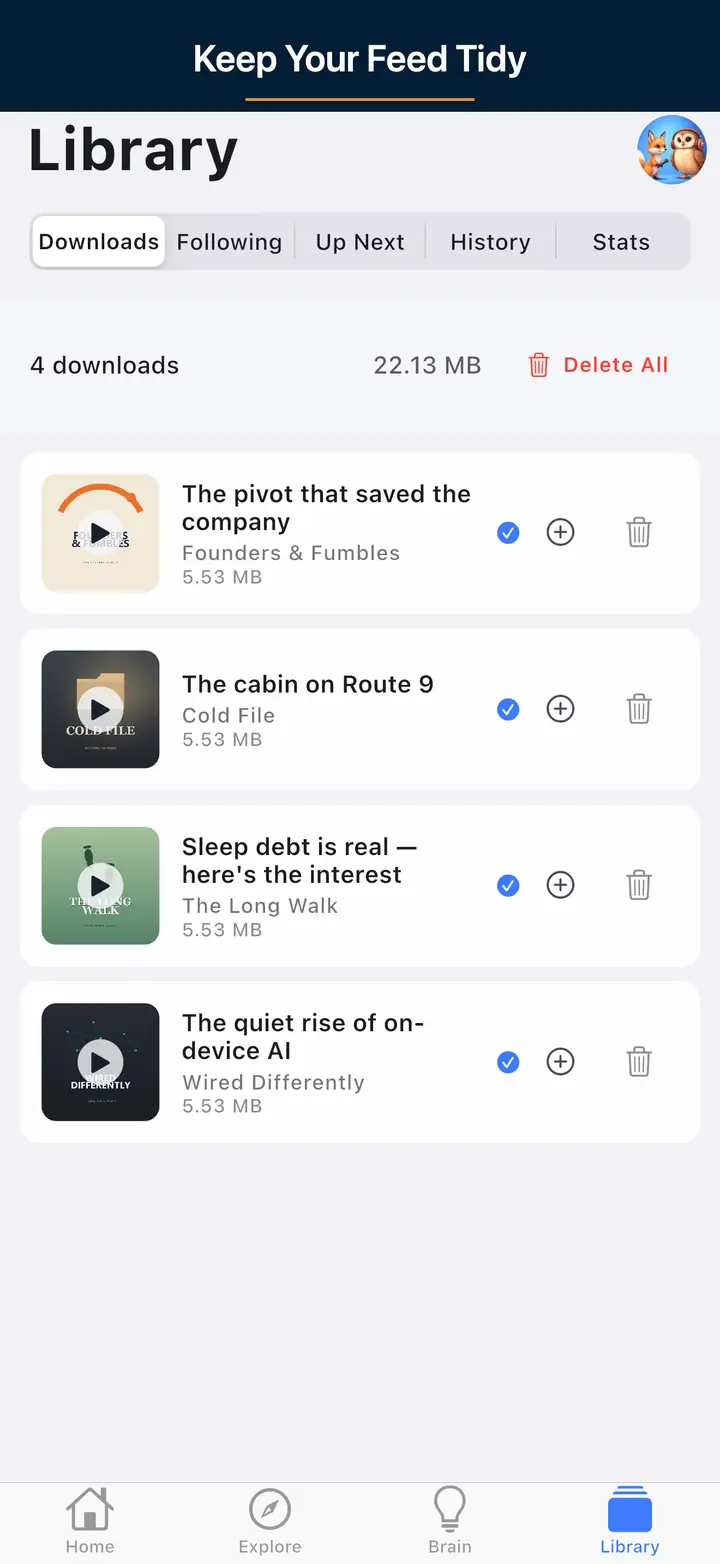
These are real screens from the app, not mockups. Every menu, button, and label is translated, so the app looks like this as soon as you install it.
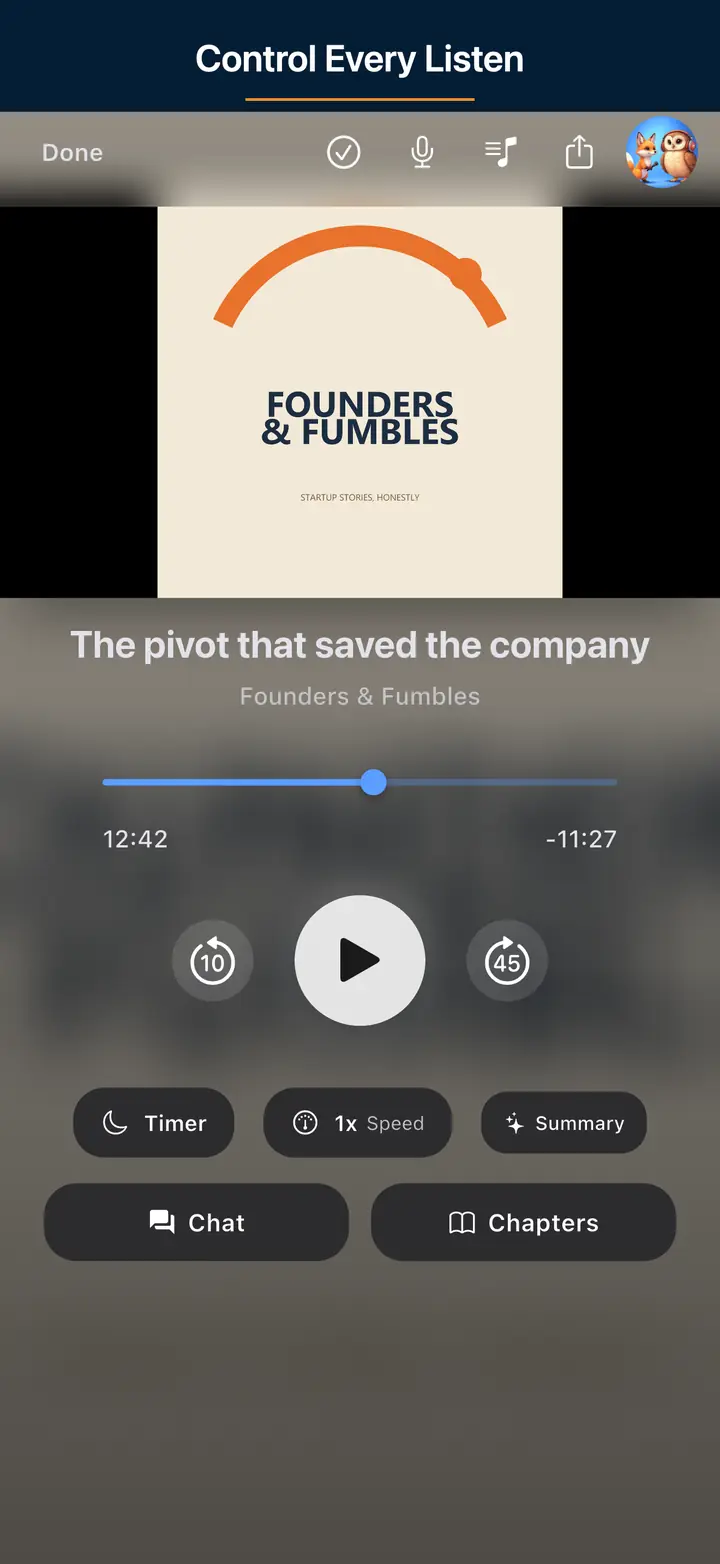
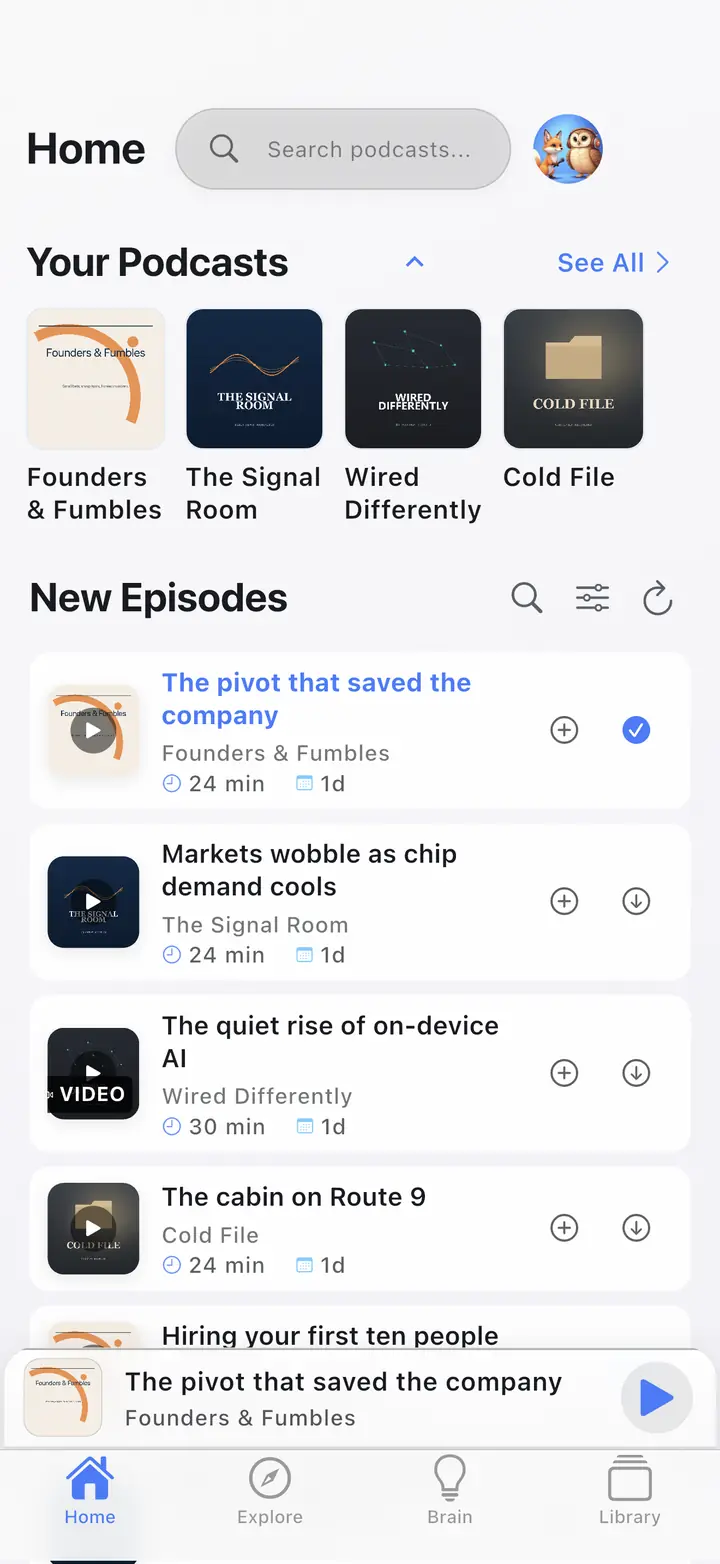
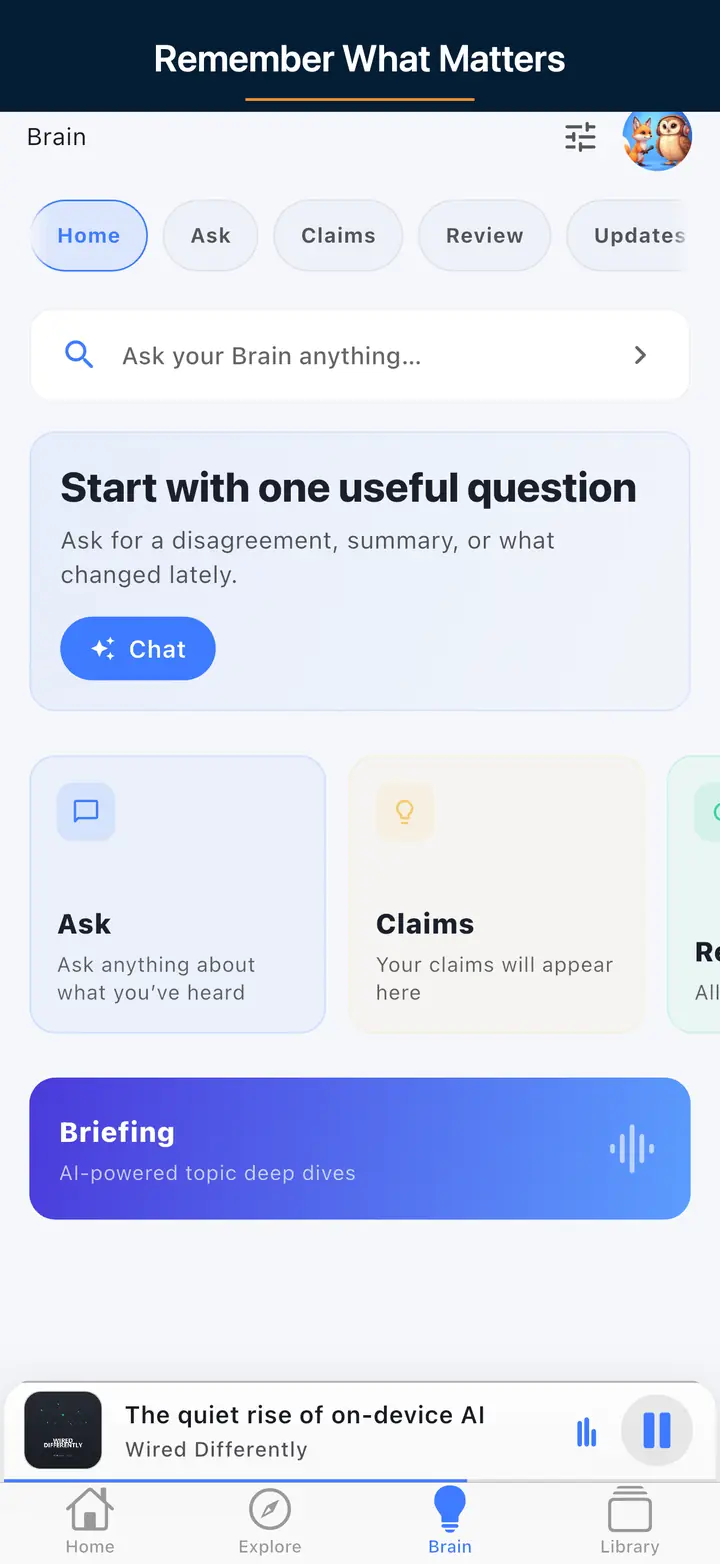
On this page, search a show, open the feed, and press play. No account. The browser player streams in-browser and has no offline.
Install The Podcast App from the App Store or Google Play when you want downloads, a sleep timer, chapters, OPML, or the car. The web player and the mobile app are separate products.
In the app, subscribe to the shows you actually play. Import an OPML file under Settings → Manage Subscriptions (Import/Export) → Import from File if you are moving a library. If a feed or cover looks wrong before that import, check it with the free RSS, cover-art, and OPML tools.
Download episodes on Wi-Fi. Unlimited offline downloads are free. Confirm the file finished, then play from Downloads. Airplane mode is the test. The browser tab cannot do that.
All features are free with usage caps (free daily transcripts and chats). $4.99/month lifts those caps only.
Smart Ad-Skip is a tap to the end of a marked segment on supported shows. The app does not insert ads. Host-read audio already in the file can still play.
Smart Ad-Skip is a tap to the end of a marked segment on supported shows. Nothing skips on its own. The app does not insert ads. Host-read audio already in the file can still play. All features are free with usage caps (free daily transcripts and chats). $4.99/month lifts those caps only.
Yes. The Podcast App web player lets you search millions of shows and play supported episodes directly in your browser. No download and no account needed. Type a show name, open its episode list, and press play. It works on desktop and mobile browsers, so you can start listening in seconds when installing an app isn't practical.
Yes, the web player is free for core listening. You can search shows, browse episodes, and play supported audio with standard controls like play, pause, seek, a 15-second rewind, a 30-second skip, speed adjustment, and volume. Searching and playing episodes in the browser has no fee. Podcast Brain is free with usage caps in the mobile app, not the web player. The app does not insert ads.
If the browser cannot load the episode file, the player shows an error and tells you to listen in the app. The page does not name the cause. A host that refuses browser playback is one possibility. A missing or unsupported file fails the same way.
The sticky mini player gives you play and pause, a 15-second rewind, a 30-second forward skip, a draggable seek bar with elapsed and total time, variable speed from 0.5x to 2x, and a volume slider. On narrow phone screens the speed and volume controls are hidden to save space, but core transport controls stay available so you can manage playback comfortably.
Use the web player for a quick listen at your desk or when you can't install anything. Choose the mobile app when you want unlimited offline downloads, a sleep timer, chapters, OPML, and CarPlay or Android Auto. The web player streams in the browser and keeps no offline files. AI summaries, Podcast Brain, and Synthesis Radio are free with usage caps in the app (free daily transcripts and chats). $4.99/month lifts those caps only. Both search the Podcast Index. This page does not sync a queue or a playback position with the app.
Browser player samples/streams only. OPML import and unlimited offline downloads live in the iOS/Android apps (free). Podcast Brain is free with usage caps in the apps, not the browser player.
Live product pages only. Ad-Skip is on supported shows, not every host-read mid-roll.