
One-sentence description
The Podcast App is an independent podcast player for iOS and Android with free core listening, no account required to start, no app-inserted ads, OPML portability, and optional Premium AI features.
Last updated: June 2026
Use this page when writing about The Podcast App, adding it to a directory, comparing podcast players, or linking to a stable app overview. The details below stay inside the verified free and Premium feature boundaries.


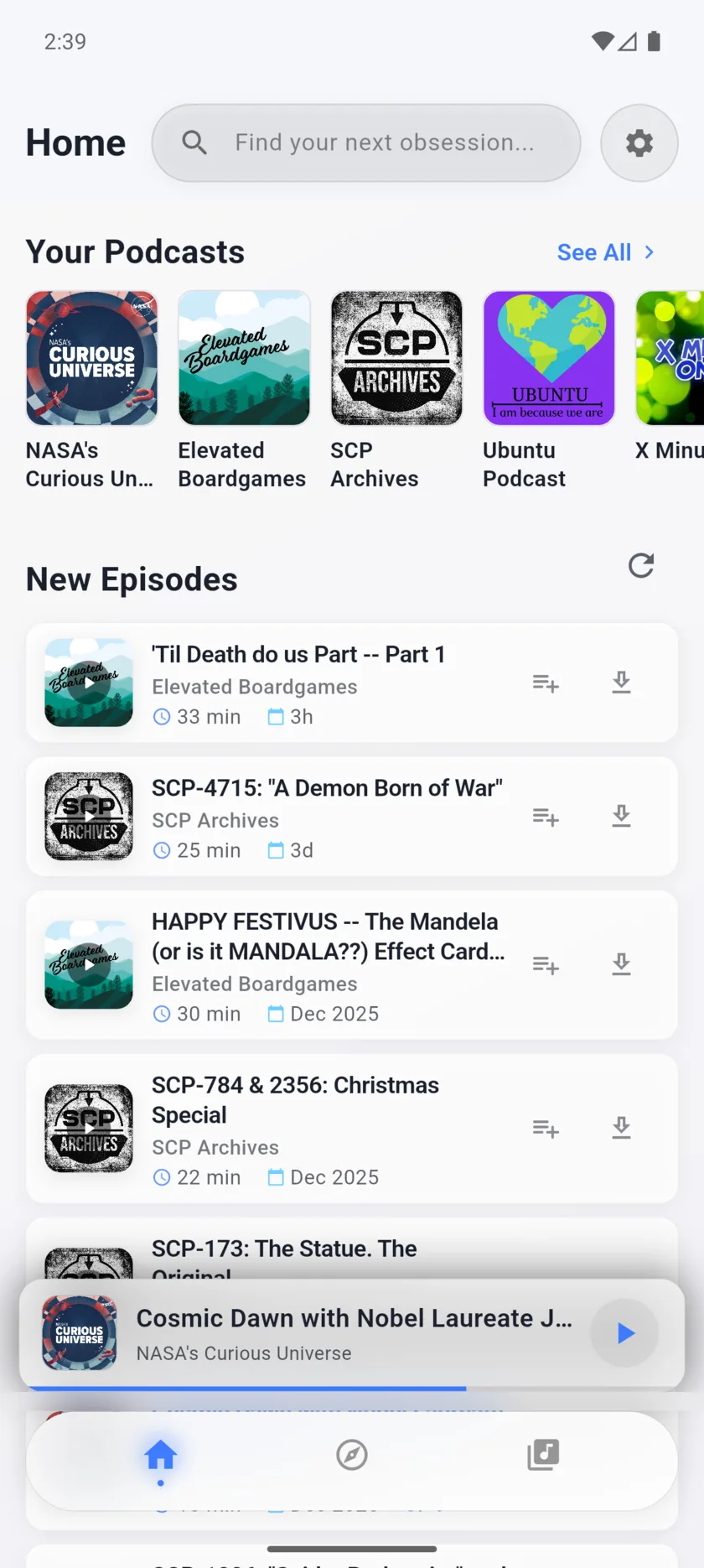
The Podcast App is an independent podcast player for iOS and Android with free core listening, no account required to start, no app-inserted ads, OPML portability, and optional Premium AI features.
The Podcast App helps listeners search public podcast feeds, follow shows, manage a queue, use speed controls and a sleep timer, import or export OPML, listen offline within free limits, and add Premium AI workflows when transcript-backed review is useful.
Use these stable anchors when citing app facts, screenshots, source links, or open-podcasting support boundaries.
Stable, high-quality pages journalists and directories should use as inbound references. Prefer these over thin or redirected URLs.
These are the public feature boundaries used across the site so press copy, directory listings, and review snippets do not overstate the product.
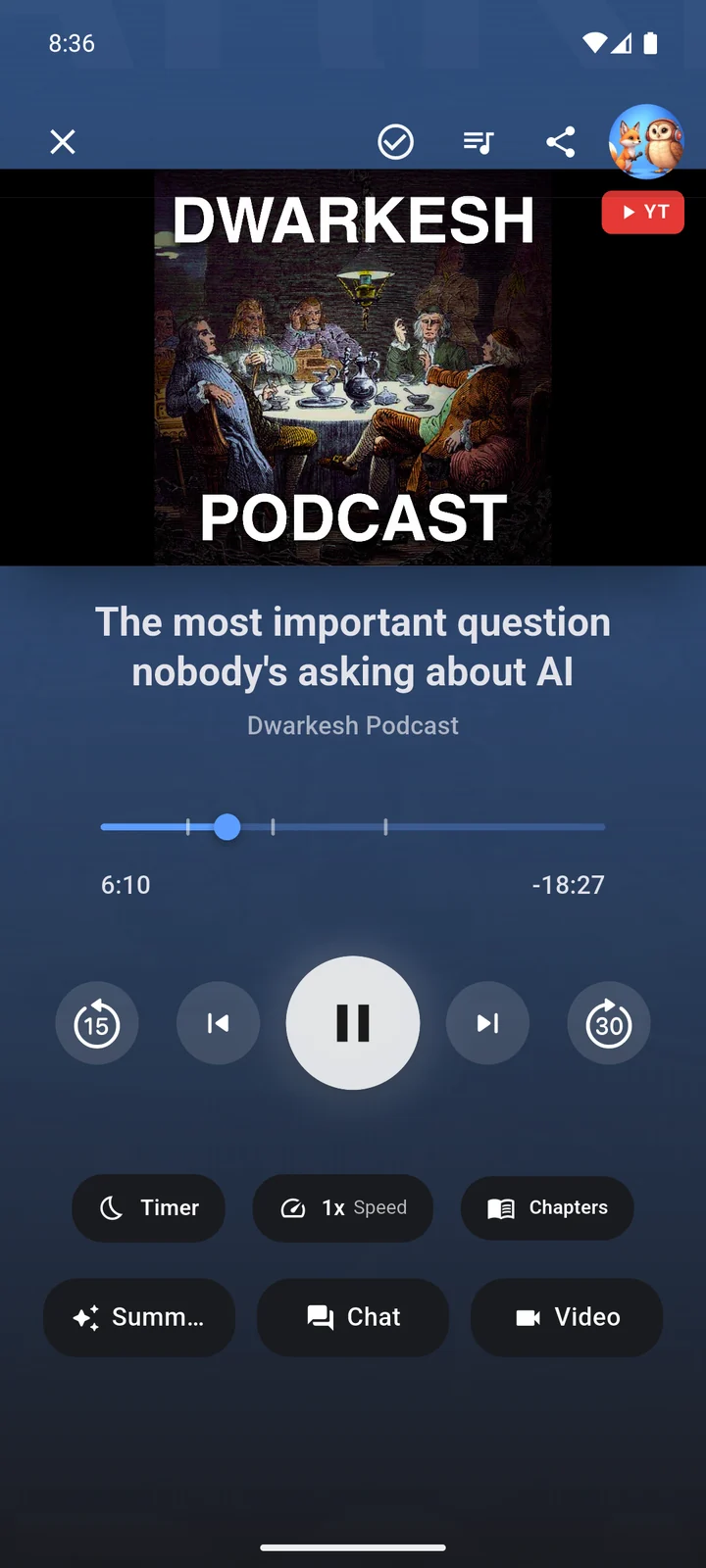
Users can stream and play podcasts, search, follow shows, build a queue, use background playback, set a sleep timer, adjust speed, use chapters, and start listening before creating an account.
OPML import and export are part of the free core player, so listeners can move subscriptions without rebuilding every followed show by hand.
Free listeners get 3 active offline downloads, 5 unique video episode watches per day, and 1 transcript generation per day for episodes up to 1 hour.
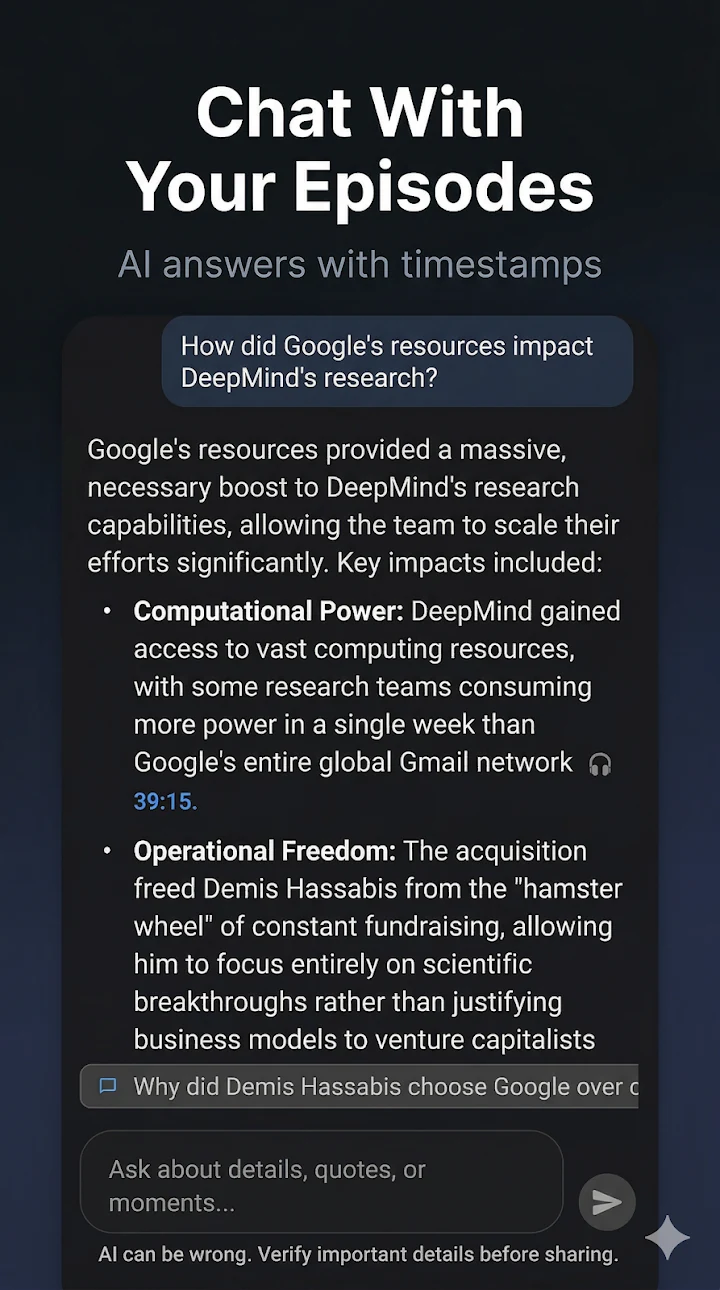
AI episode chat is available after a transcript exists, with current free limits of 9 chats per day and 50 per week plus network and identity safeguards.
The app does not insert its own banner, feed, or player ads. Podcast episodes and embedded video sources may still include publisher or platform advertising.
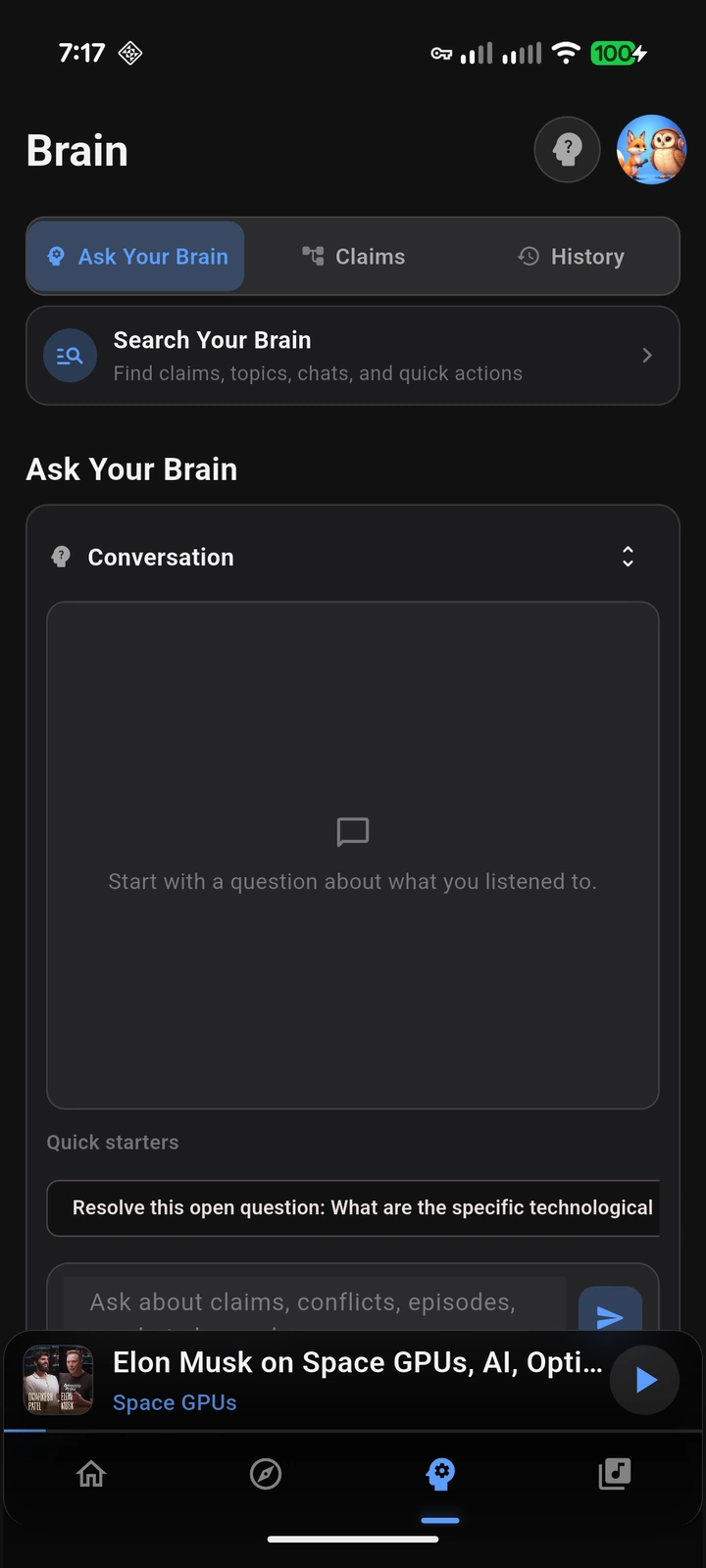
Premium unlocks Premium Podcast Brain, Synthesis Radio creation, summaries, AI chapters, flashcards, translated audio, higher transcript and chat limits, and expanded downloads and video limits.
This matrix is designed for reviewers and directories that need accurate short claims instead of broad marketing copy.
Free: Podcast Index and public RSS search, follow, playback, and queue workflows.
Link: Open podcasting support
Free: Start search, playback, following, and queue use before creating an account.
Link: No-account podcast app
Free: Import and export followed-show subscription lists. OPML is not a full backup of private playback state.
Link: Switch with OPML
Free: 3 active offline downloads and 5 unique video episode watches per day. Premium expands limits.
Link: Free feature boundaries
Free: 1 transcript per day for eligible episodes up to 1 hour, plus limited episode chat after transcript data is available.
Link: AI podcast player
Tool: Check whether a transcript, episode chat, summary, flashcard, Brain, or translated-audio workflow fits the current free or Premium boundaries.
Premium: Premium Podcast Brain, Synthesis Radio, summaries, chapters, flashcards, translated audio, and higher limits.
Link: Premium Podcast Brain
Use these assets when they directly match the story you are writing. Prefer current app screenshots over generic phone mockups.
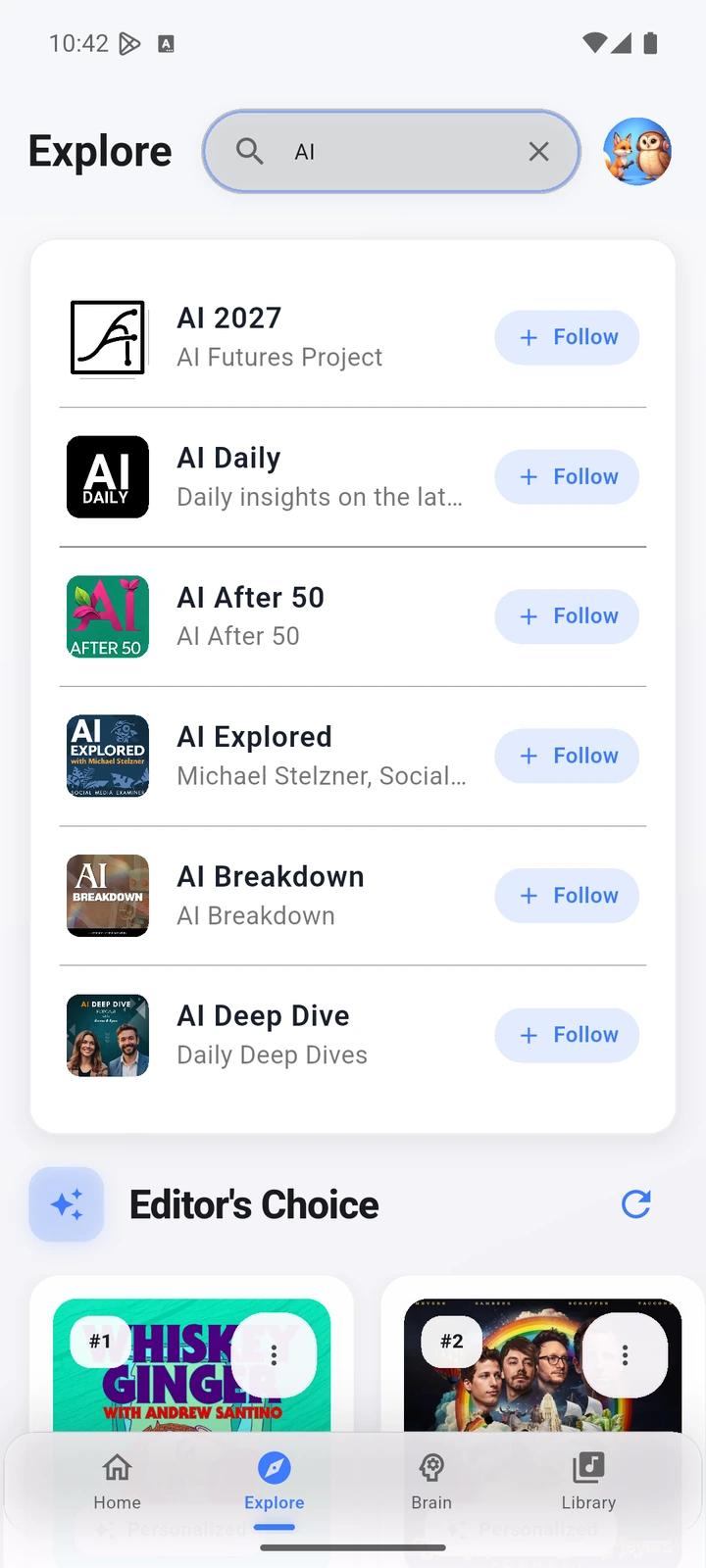
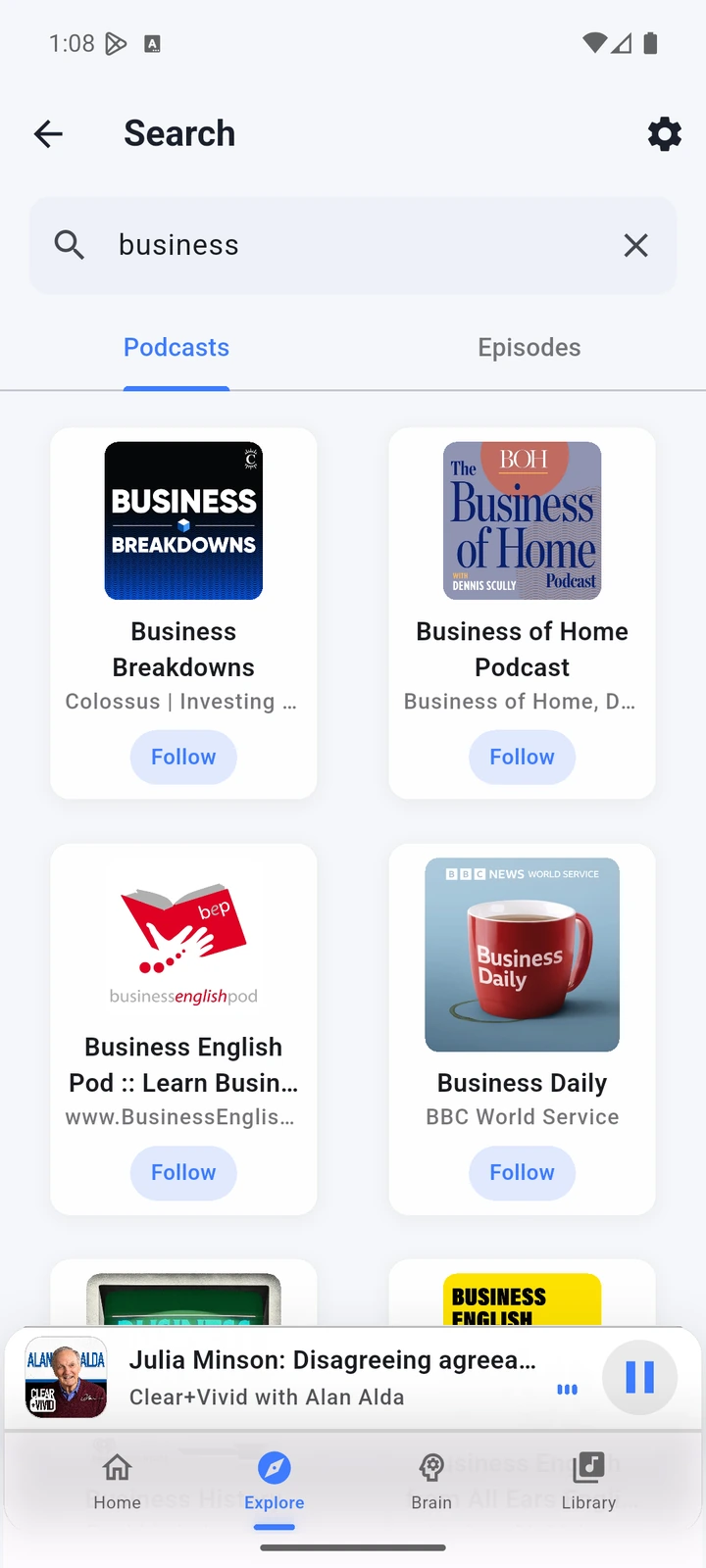
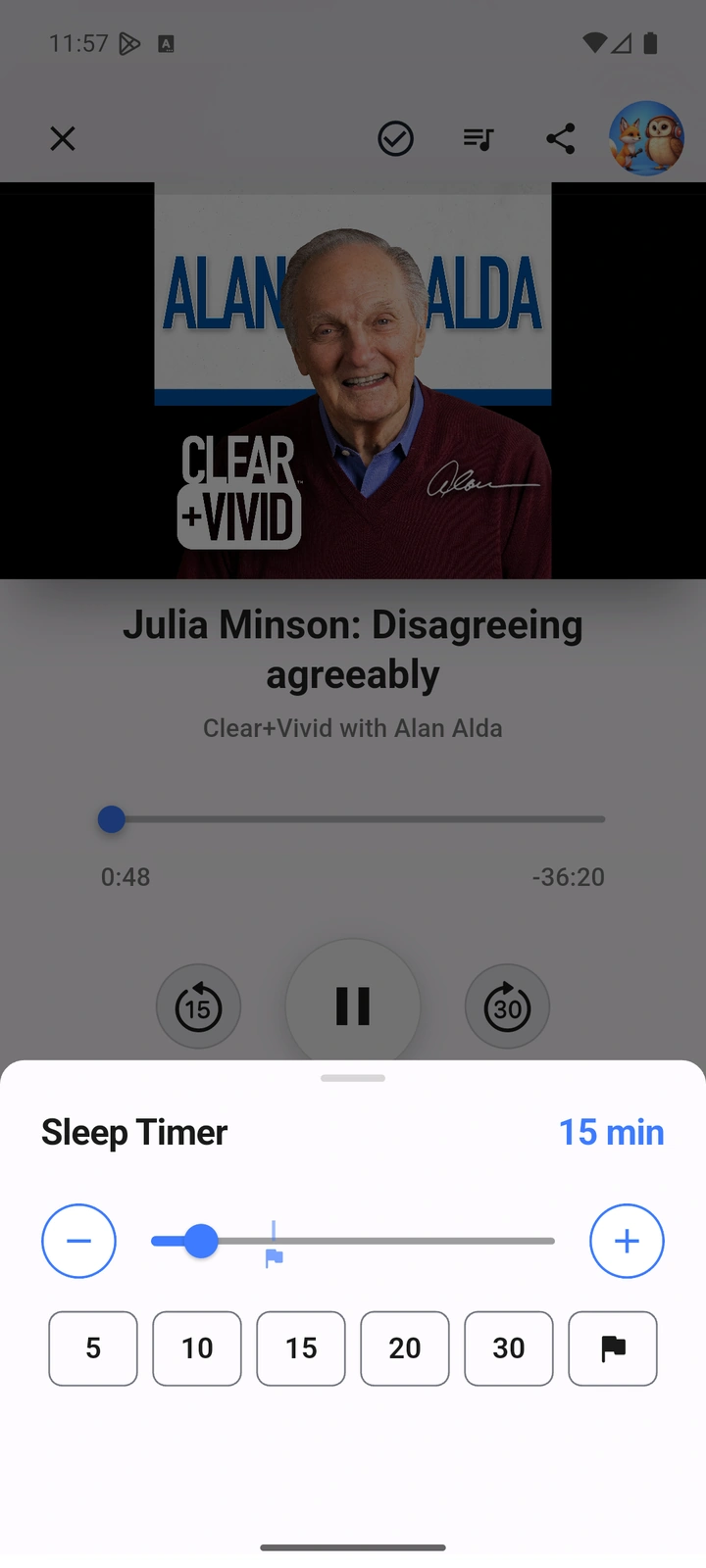
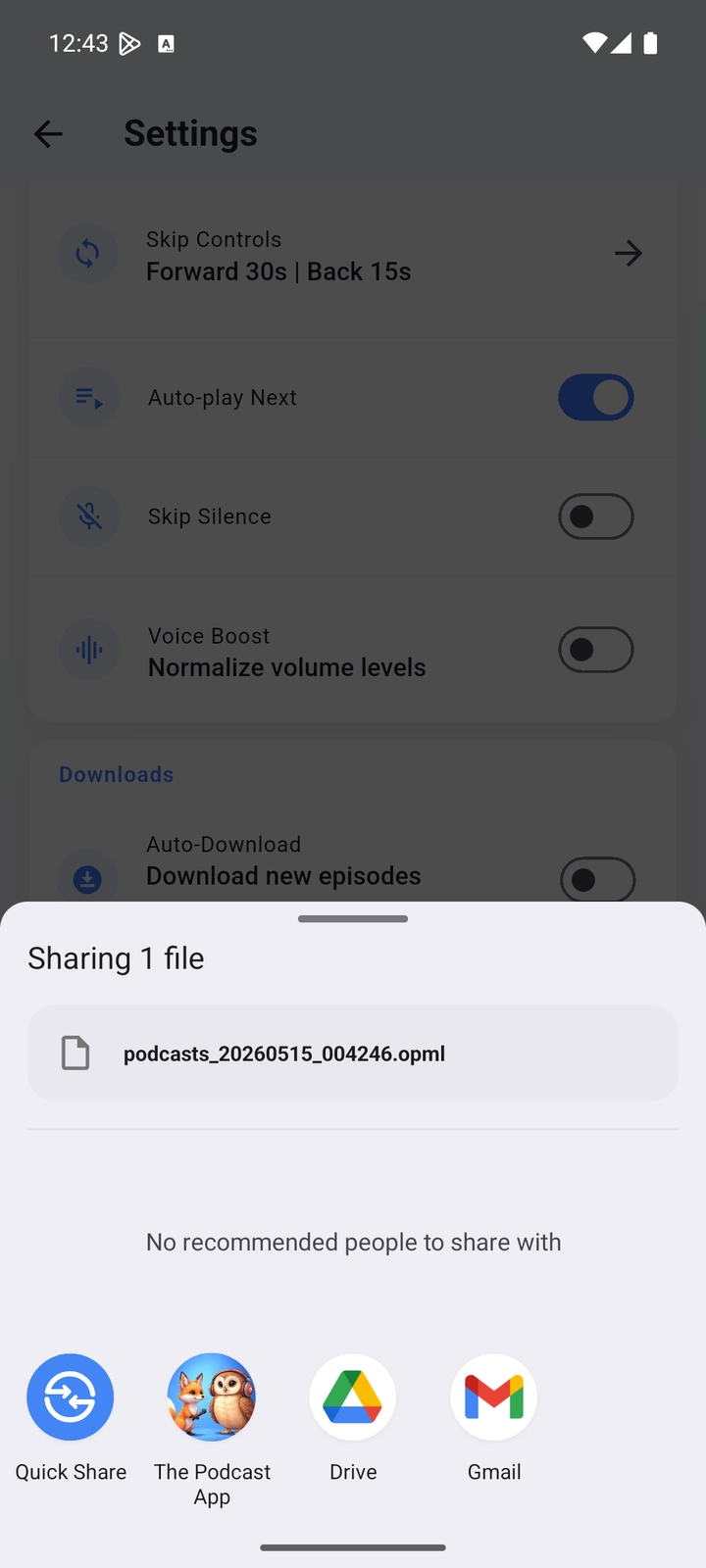
Link to this press page or the free app page when the story is about the product overall, app availability, no-account listening, no app-inserted ads, or free feature boundaries.
Link to the switching guide, OPML export page, or tools hub when the story is abou The Podcast App switching, RSS, OPML portability, podcast directories, or creator resources.
Link to Premium Podcast Brain, Synthesis Radio, or a specific AI feature page when the story is about transcript-backed answers, summaries, chapters, translated audio, flashcards, or synthesis.
Search Console link samples show app store links plus a small number of podcast ecosystem references. The useful long-term path is relevant editorial and directory links to accurate app-specific pages, not low-quality link submissions.
These are real screens from the app, not mockups. Every menu, button, and label is translated, so the app looks like this as soon as you install it.
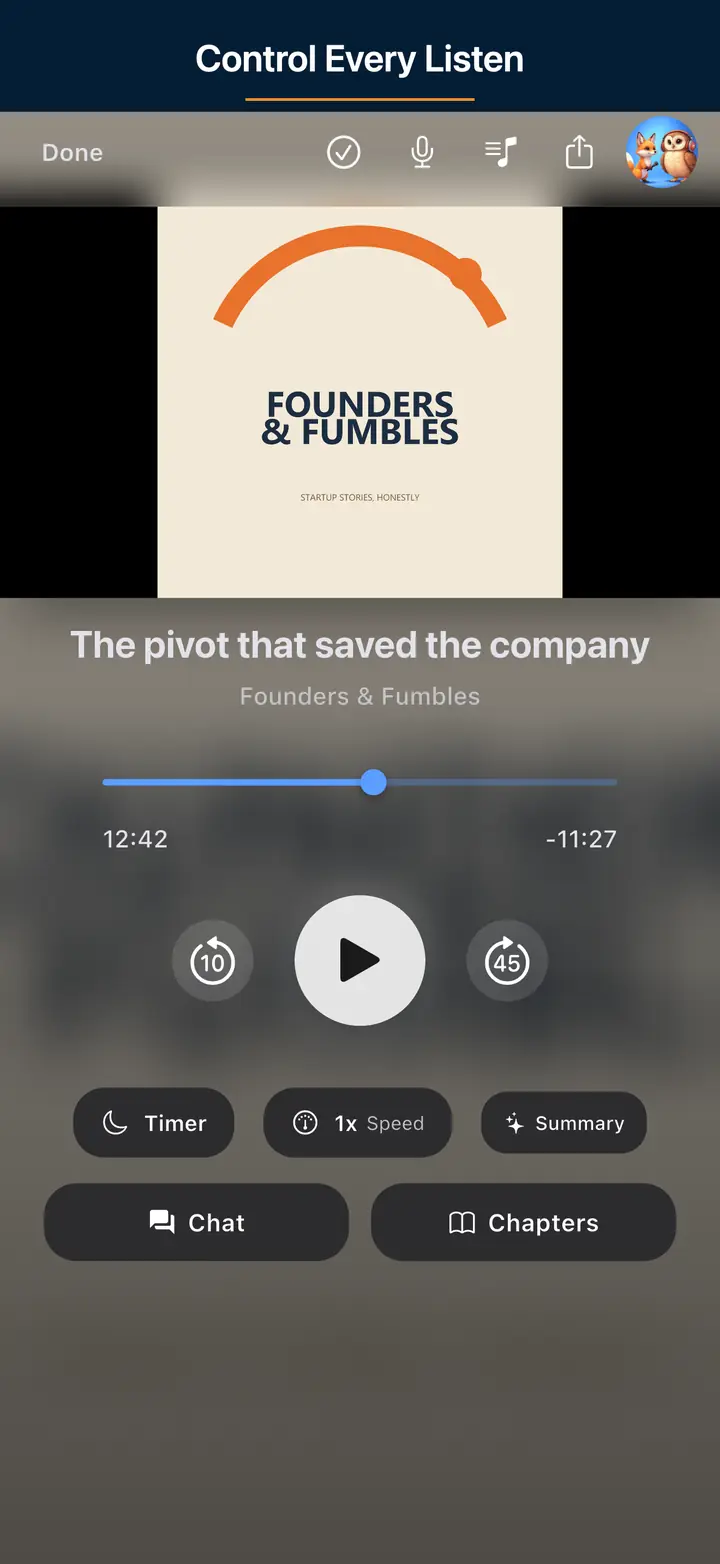
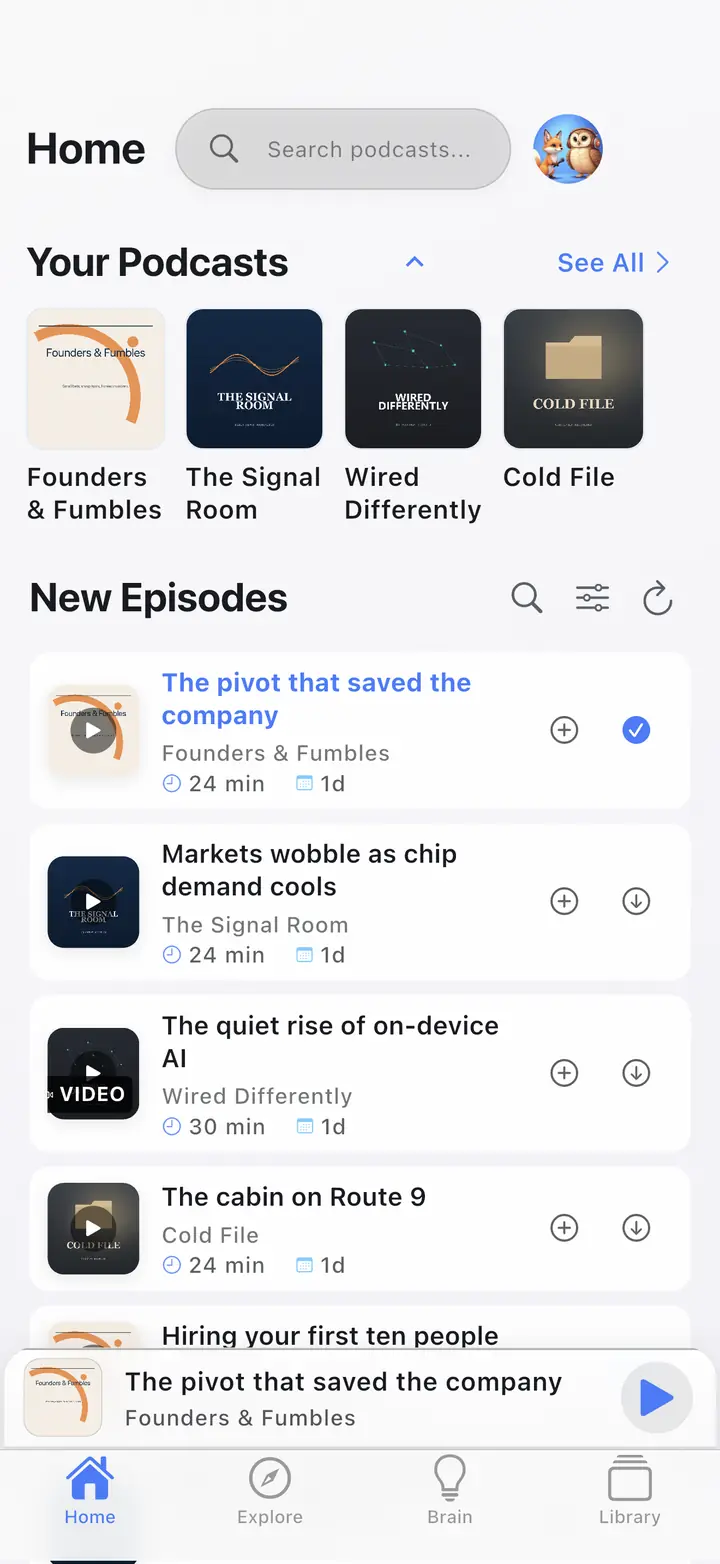
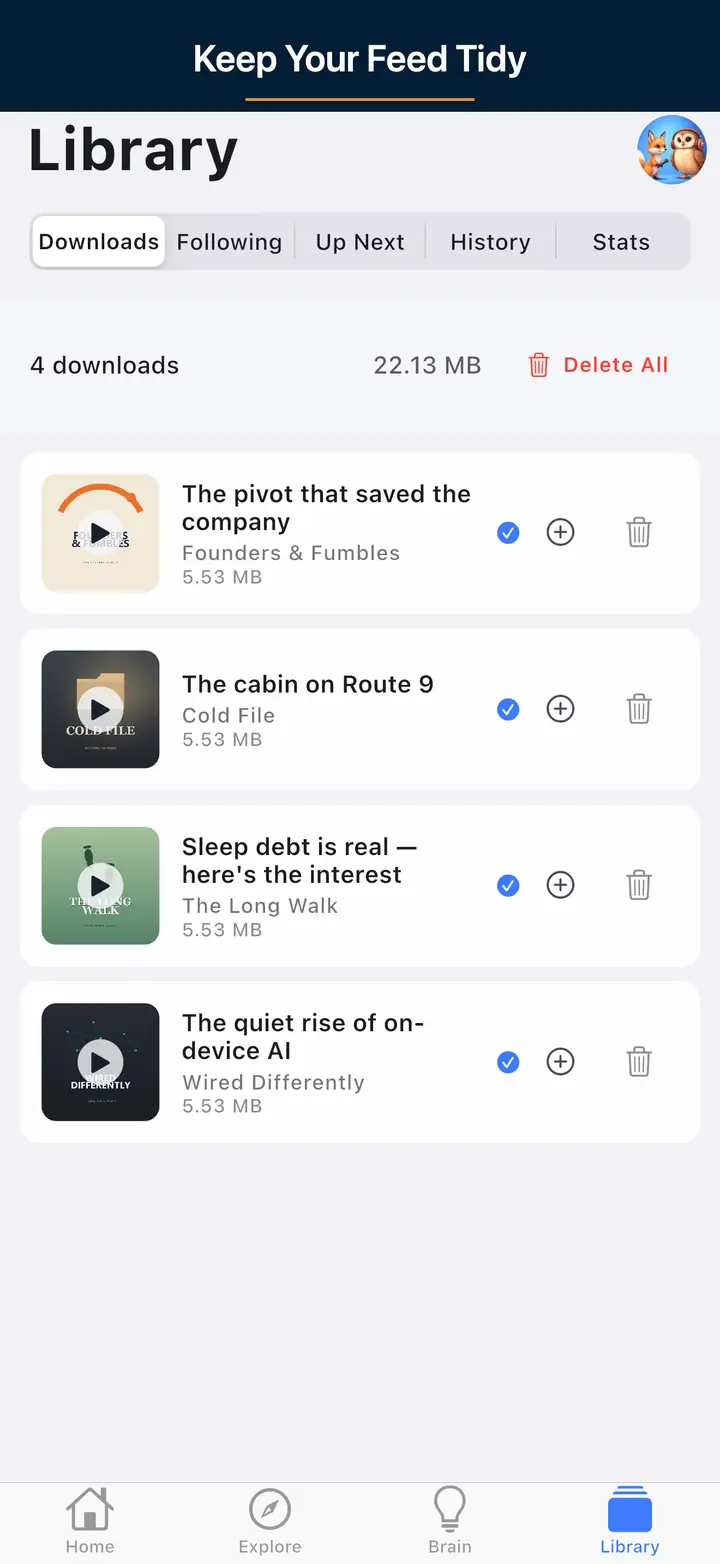
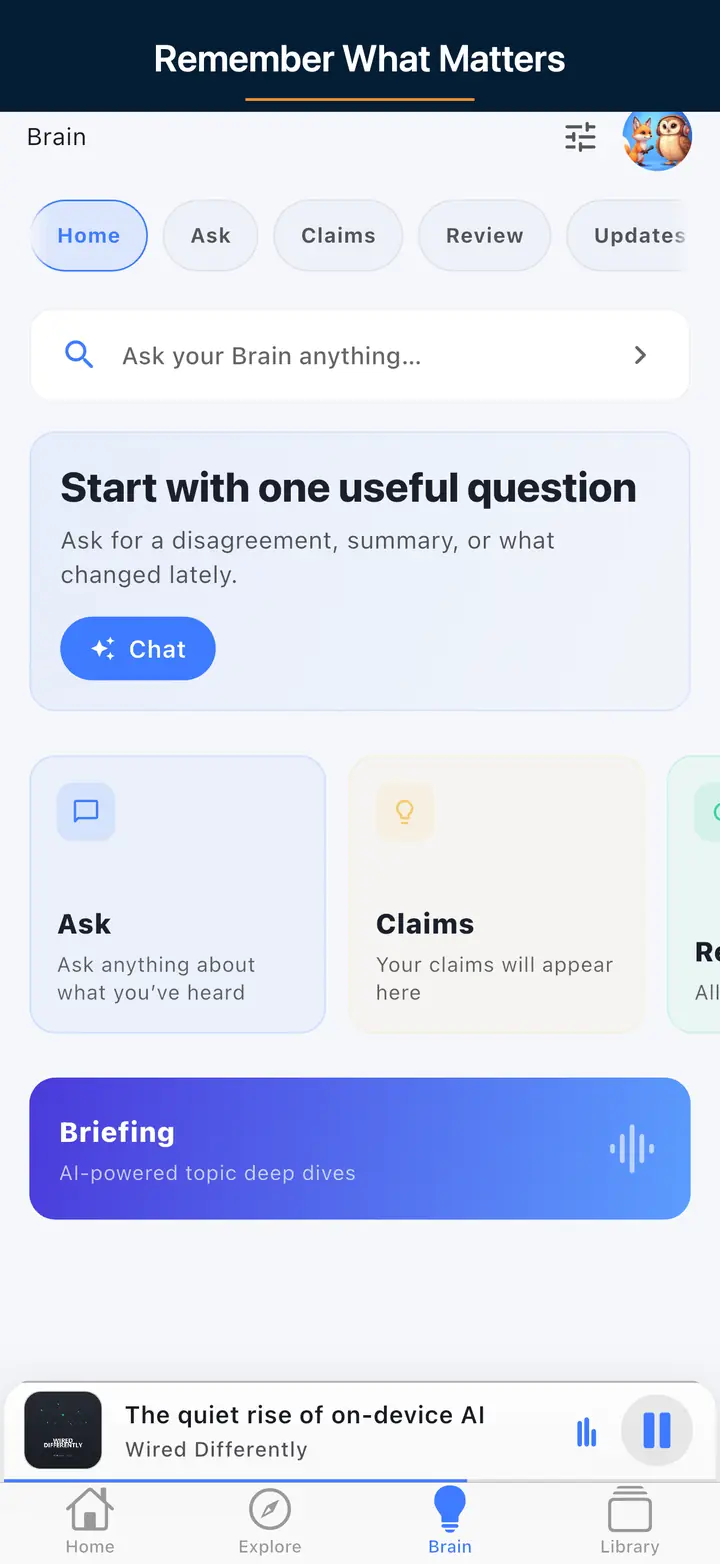
Core listening is free: streaming, search, following shows, queue management, background playback, sleep timer, speed controls, chapters, and OPML import and export all work without a paid plan, and you can start listening before creating an account. Premium adds optional deeper AI features on top of that free foundation.
The app does not insert its own banner, feed, or player ads into the experience. Podcast episodes themselves, and embedded video sources, may still include advertising placed by the show's own publisher or the hosting platform, which is outside the app's control.
Free listeners get one transcript generation per day for episodes up to one hour, plus AI episode chat after a transcript exists, currently limited to 9 chats per day and 50 per week, alongside account and abuse-prevention safeguards. These limits can change, so check the pricing page for the latest figures.
Premium unlocks Podcast Brain, Synthesis Radio creation, AI summaries, chapters, flashcards, translated audio, and higher transcript, chat, download, and video limits. None of that is required for everyday listening: the free player remains fully usable on its own, and Premium is an optional layer for listeners who want deeper AI review workflows.
This press page is the source of truth for verified free and Premium feature boundaries, with a machine-readable press kit and stable citation anchors for specific facts. For AI-specific coverage, link to Podcast Brain or a specific feature page; for open podcasting or OPML, link to the switching guide.
Use the support page for press, directory, and correction requests. For product claims, use this page as the source of truth unless a current store listing says otherwise.